Build atomic and molecular distributions
Use this workflow to prepare a mixed structure with reproducible positions and remove short contacts before a simulation. The output is a starting geometry; its density, chemistry, and thermodynamic state still need a suitable physical model. Start with Edit > + Add atoms > Batch.
Choose an initial distribution
Distribution |
What it does |
Use it for |
|---|---|---|
Random |
Independent volume-uniform samples, including in triclinic cells |
Independent random initial configurations |
Homogeneous |
Greedy farthest-site selection from a scrambled Sobol pool up to 1,024 entities; the Sobol sequence directly for larger batches |
Reducing large voids and clusters before relaxation |
Regular grid |
Global Cartesian grid clipped to the insertion domain |
Controlled initial spacing |
An entity is one atom or one molecular anchor. Homogeneous points are correlated: they are neither an ideal gas sample nor a globally optimal packing. No mode guarantees a minimum distance to the host. For mixtures, a seeded site permutation assigns species without tying chemical identity to grid order or maximin rank. Atom labels and entry order remain stable. Specify a seed to reproduce the same release’s result; corrected algorithms can change positions between releases.
Cartesian distance / Å ranks real Euclidean distances. Fractional spacing ranks normalized lattice coordinates, which can have very different physical lengths in an anisotropic cell. Enable Account for periodic boundaries to include opposite-face neighbors in the spacing metric. Triclinic Cartesian spacing uses a reduced-lattice minimum-image search.
Create a Cu–Zr starting structure in the GUI
Run
v_ase gui. Under Structure > Cell & Replication, set a diagonal 20 Å cell and enable all three periodic axes.Open + Add atoms > Batch > Atoms. Add Cu and Zr rows with 100 atoms each.
Choose Homogeneous, Cartesian distance / Å, and a fixed seed such as 19.
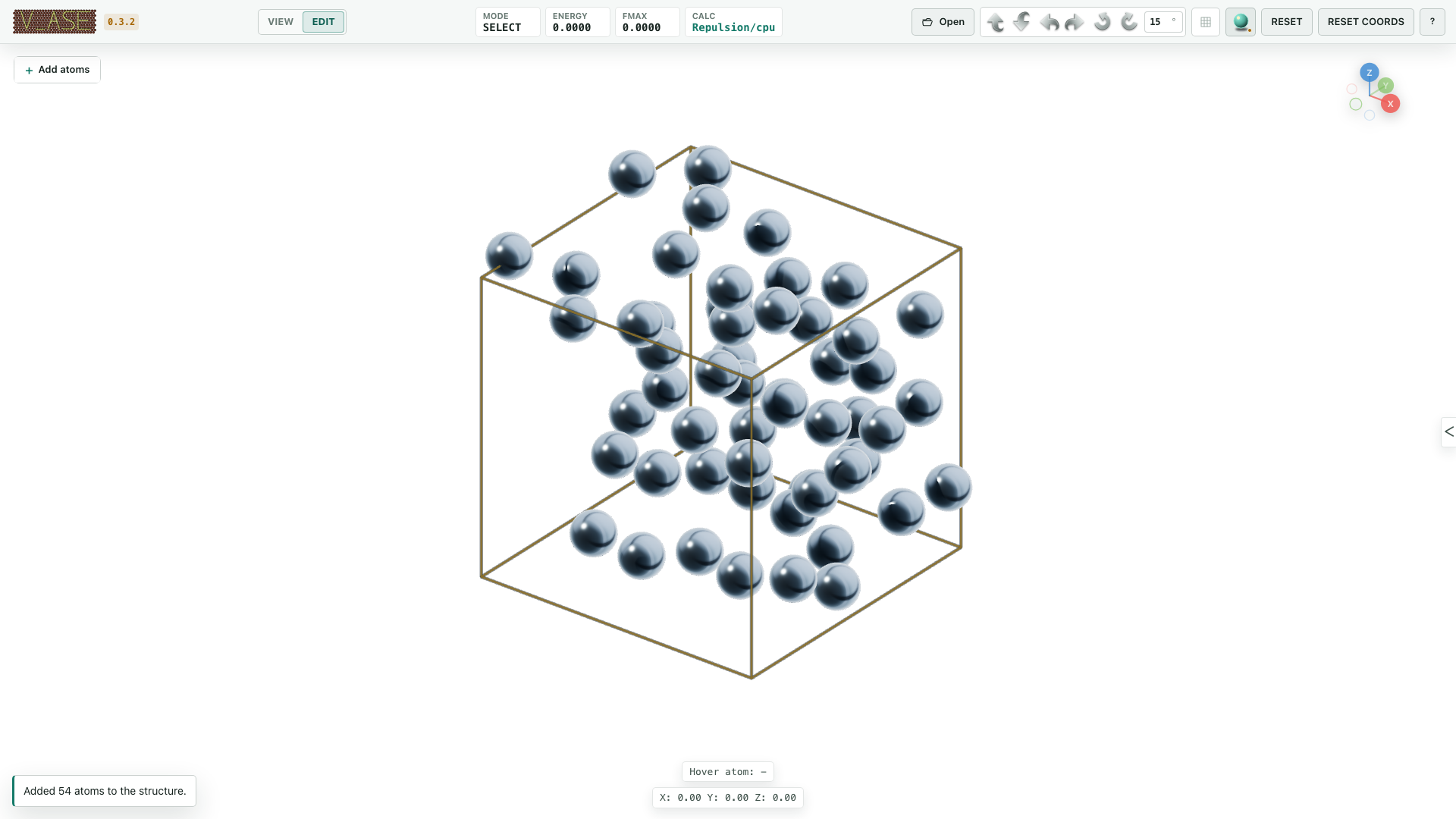
Scatter the batch. Verify 200 staged atoms and the requested composition.
Open Structure > Relaxation, inspect the independent repulsion pair distances, and run placement relaxation. The default host-freezing option matters when inserting into an existing structure.
Inspect short contacts and the timeline, then choose Finish to commit. Cancel restores the structure from before the whole placement session.
The counts and cell above demonstrate the controls; they do not prescribe a realistic Cu–Zr density. Set composition and volume from your intended model.
Define where insertion is allowed
A finite unit cell defines the base domain. Allow boxes restrict it to their union, and Reject boxes subtract their union; overlapping regions count once. Without a cell, at least one finite Allow region is required.
Region coordinates are Cartesian bounds in Å. Region MIC periodically maps regions; Account for periodic boundaries controls the placement spacing metric. These are different settings. Constrain to domain controls subsequent relaxation: an insertion region alone does not confine later motion.
For Regular grid, an explicit spacing is never silently reduced. If too few sites fit, reduce the count, enlarge the domain, or choose another spacing.
Understand the repulsion calculator
For each enabled label or element pair with onset distance rc, v_ase uses:
U(r) = k/2 × (rc − r)²  for r < rc; otherwise 0
|F(r)| = k × (rc − r)   for r < rc; otherwise 0
rc is in Šand k in eV/Ų. Absolute mode uses the entered distance; scaled
mode multiplies a reference contact distance by the scale. A zero pair distance
disables that pair. These settings are independent of displayed bonds.
By default, forces are the negative gradient of the reported energy. Periodic
interactions include all images within the cutoff, including images of the
same basis atom. This preserves energy per atom when an identical crystal is
represented as a larger supercell. The legacy Python mic flag enables these
periodic interactions; it does not restrict the sum to a single nearest image.
At exactly coincident positions, the radial derivative has no unique direction;
v_ase uses a deterministic separating direction. An explicit Python
max_force_norm requests the legacy force limiter and therefore a force that is
no longer the gradient of the reported energy. Its default is now None.
Repulsion supplies no attraction or chemistry. A small fmax means the
optimizer’s force criterion is met; it does not prove all overlaps are gone,
because forces can cancel. A periodic self-image overlap cannot be removed by
moving a single basis atom at fixed cell. Check distances and cell size as well
as convergence, then relax with your intended interatomic potential or DFT model.
Prepare a distribution in Python
This complete example generates 128 volume-uniform Ar positions, relaxes the soft overlap energy, and opens the result. It creates no equilibrium ensemble.
import numpy as np
from ase import Atoms
from ase.optimize import FIRE
from v_ase import view
from v_ase.repulsion import RepulsionCalculator

rng = np.random.default_rng(19)
cell = np.eye(3) * 20.0
atoms = Atoms("Ar128", scaled_positions=rng.random((128, 3)), cell=cell, pbc=True)
atoms.calc = RepulsionCalculator(cutoff_distance=2.5, k_repulsion=1.0)
optimizer = FIRE(atoms, logfile=None)
converged = optimizer.run(fmax=0.02, steps=200)
print("Force criterion met:", converged)
print("Overlap penalty / eV:", atoms.get_potential_energy())
view(atoms)
The cell is fixed. cutoff_distance changes the onset of repulsion;
fmax changes the stopping criterion, not the target distance.
Insert rigid molecules
Choose Batch > Molecules, then counts or target density. The density uses the accessible domain volume and the nearest complete composition batch, so inspect both target and realized density. Random orientation is uniform in 3D. An anchor uses the ASE molecule’s native origin, not necessarily its center of mass.
Preserve molecular geometry keeps intramolecular distances fixed. Internal repulsion is excluded within the reference molecule; its periodic copies are separate molecules and still interact. Choose a cell large enough for the whole molecule and inspect contacts after relaxation.
Verify and save
Check counts, chemical elements, labels, domain membership, host coordinates,
molecular geometry, and short periodic distances. Use RDF to inspect
pair statistics with the correct boundary convention. Finish staging before
exporting simulation input; save a .vase project to retain the complete view.
See scientific validation for independent tests, performance measurements, and the limits of these algorithms.